Switch from Barclays ePDQ to Worldpay and get a free OpenCart module!
d
h
m
s
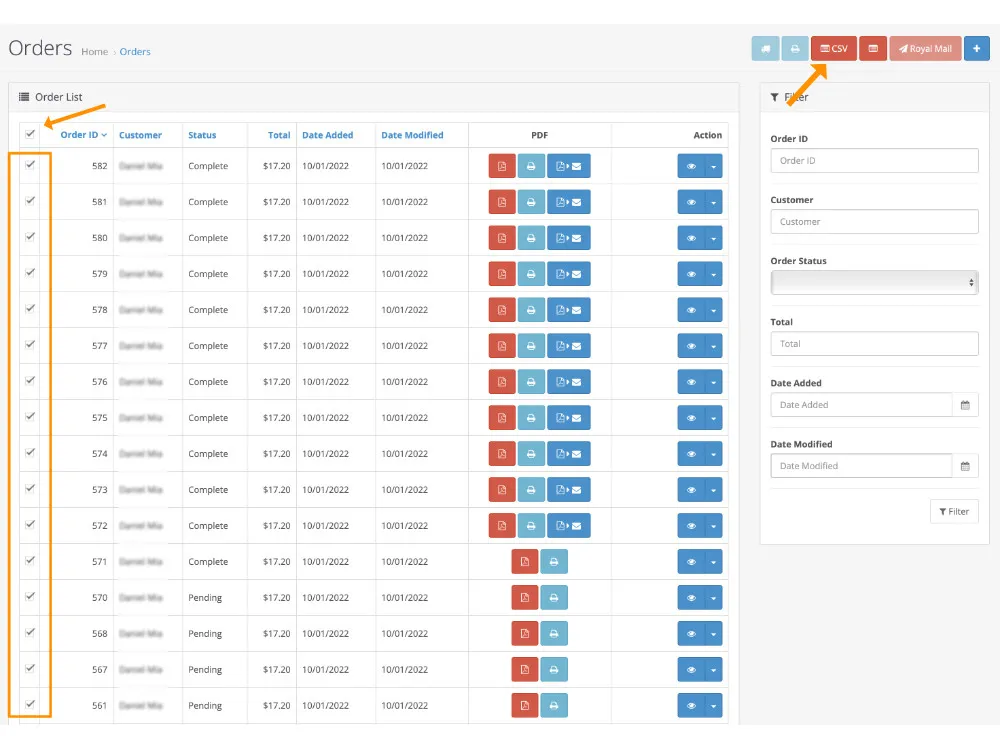
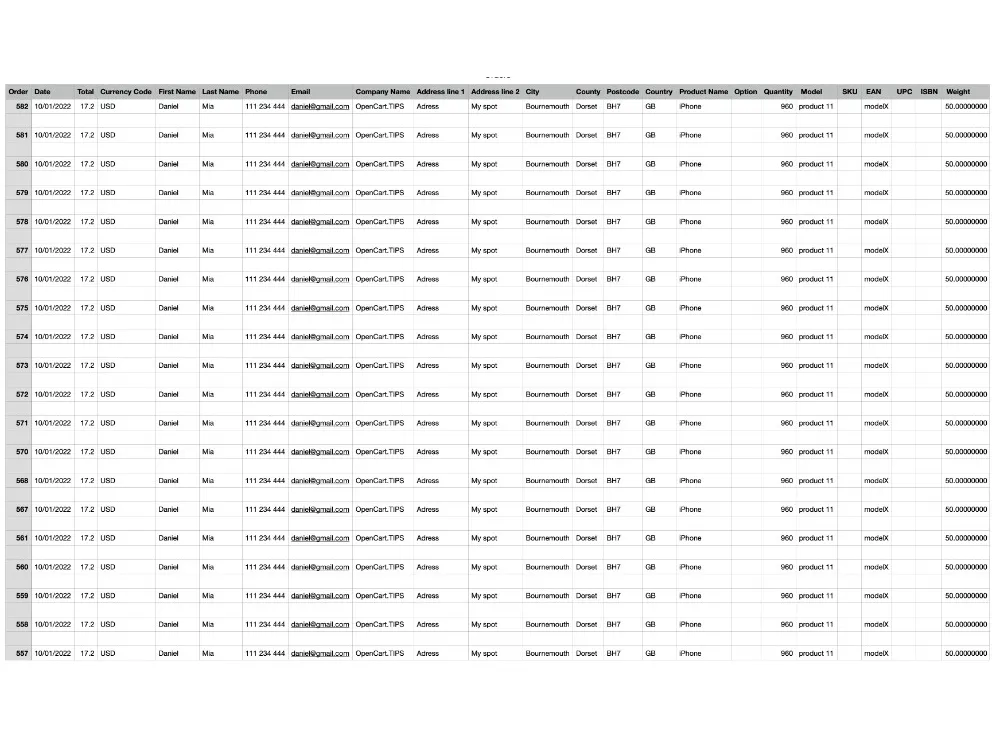
Export your OpenCart orders to a clean CSV file in seconds. Select individual orders or export all at once, then open the file in Excel or import it into your email or accounting tools.
One click is enough to generate a structured file ready for reporting, fulfillment, or marketing workflows.
CSV stands for Comma Separated Values and is the standard format for spreadsheets. Files are exported in UTF‑8, making them compatible with Microsoft Excel.
https://link.opencart.tips/order-2-csv-sample
| Software | |
| Current Version | 3.0.x |
| Available Languages | English |
| Compatible with OpenCart | 2.3 - 3.0.x |
| Server Requirements | PHP 7.2-7.4 |
| Anti-Hacking Protection | Free ionCube 11 |
| License | EULA |
| Installation Method | OpenCart or FTP |
| Require OCMOD | Yes |
| Require VQmod | No |
| Access to Free Updates | 12 months |
| Access to Support | 6 months |

Since 2010

Secured by ionCube

Skype & FaceTime

Guarantee of Quality
If you have any questions about the product, please write to us